Inventory that tells you what is running short before a customer does
Stock is counted per outlet, anything under its minimum is flagged, and a purchase order becomes the amount you owe your supplier.
Nothing to install. Runs in the browser and on Android.
Stock
Thamel outlet
128
Total items
1
Low stock
1
Out of stock
-
Coffee beans In stock18 kg · min 5 kg
-
Tea leaves In stock12 kg · min 4 kg
-
Fresh milk Low stock4 L · min 10 L
-
Momo wrappers Out of stock0 · min 200
What it does
13 things inventory does for you
The same circles as the features map, grouped by the part of the day they help with.
Stock
- Low stock alerts Items under their minimum level, kept apart from the ones that have run out.
- Stock per outlet A count belongs to an outlet, so two shops never share one number.
- Stock movements Every sale, purchase and adjustment that moved a number, as it happens.
- Stock adjust Correct a count by hand when the shelf and the screen disagree.
- Batches and lots Track each delivery's batch, so you know which stock came from where.
- Expiry tracking See what expires soon, move it first, and pull expired items before they sell.
- Camera stock count Count and receive stock by scanning items with the phone camera.
Buying & catalogue
- Purchase orders An order against a supplier whose amount feeds Payables.
- Expiry and manufacture dates Record manufacture and expiry dates on each purchase order line as stock arrives.
- Variants Sizes, colours or measures, each counted on its own.
- Item codes The codes an item answers to, searched at the point of sale too.
- Scan-code labels Print scan code labels for one item or a selection, on a roll or A4 sheets of 24 or 40.
Outlets
- Outlet settlement When one outlet sells another's item: who Owes, who Holds, what to settle.
How it works
Three steps from sign up to your first stock count
-
1
Add items with a minimum
Set the stock you hold today and the level you never want to fall under, per outlet.
-
2
Sell and buy as usual
Every sale at the counter and every purchase order moves the count on its own.
-
3
Reorder from the low list
Open Low Stock Items, raise a purchase order, and the amount lands in Payables.
- count per item per outlet, never shared between shops
- 1
- lists kept apart: running low and already out
- 2
- record for the purchase and what you owe for it
- 1
- currency per business for costs and supplier balances
- 1
Every number has a reason next to it
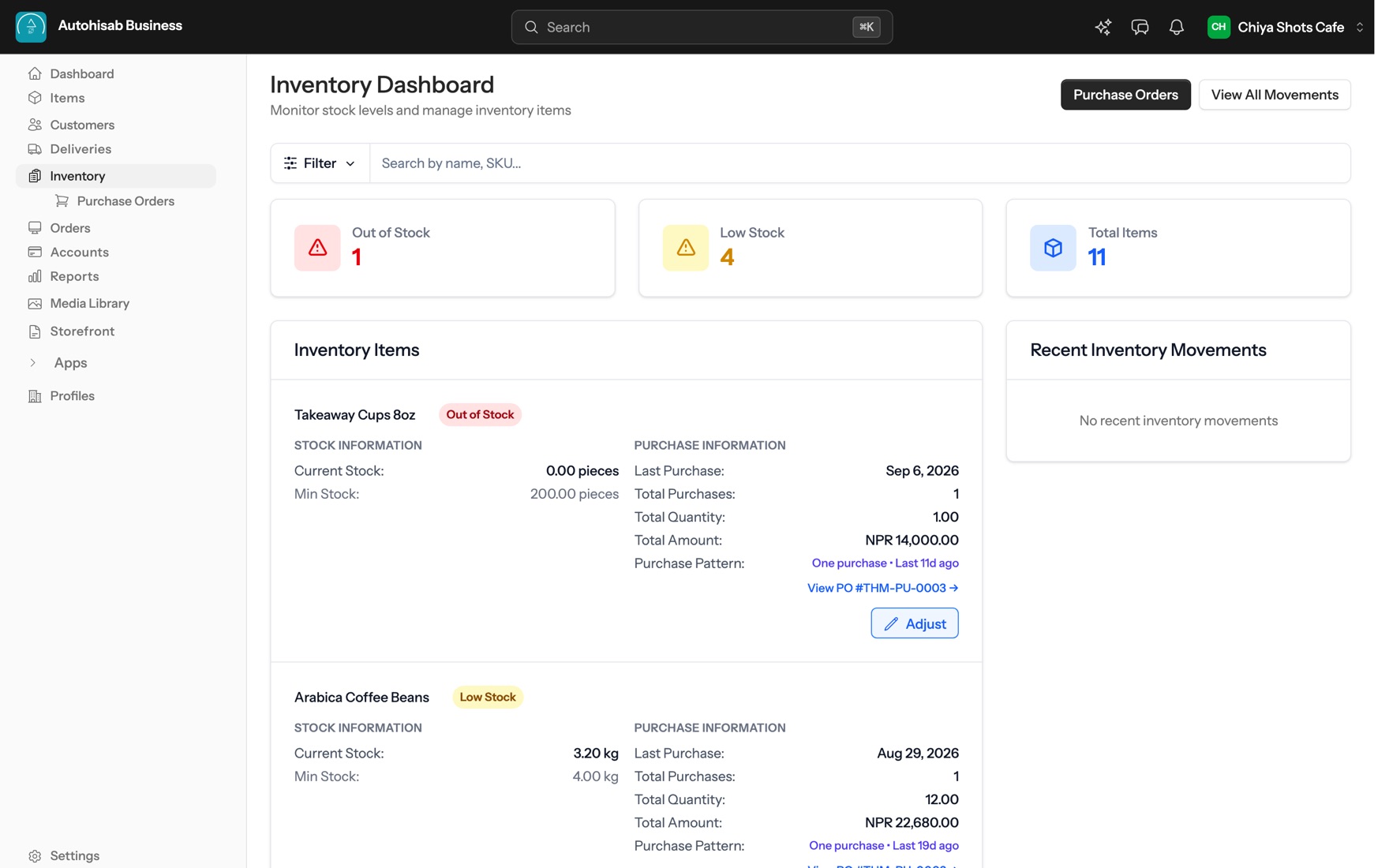
Autohisab Business (dev) inventory keeps track of what you are holding, outlet by outlet. A stock dashboard lists your items with their current stock and shows Low Stock Items and out of stock ones, purchase orders record what you ordered from each supplier and feed the amount into Payables, and a stock adjustment corrects a count by hand when the shelf and the screen disagree. Items can carry variants, item identifiers and scan codes, and you can print scan code labels one at a time or in bulk.
- Current stock
- What the outlet holds right now
- Minimum stock
- The level that puts an item on the low list
- Low Stock Items
- Under the minimum, still on the shelf
- Out of stock
- Nothing left, listed on its own
- Last purchase
- When it last came in, and on which order
- Stock adjustment
- A hand correction, recorded as one
-
Inventory management software records how much of each item you are holding and changes that number as you buy and sell. It tells you what is running low before you run out, keeps a history of what you bought and from whom, and lets you correct a count when the shelf and the records disagree. In Autohisab Business (dev) it works off the same catalogue as the point of sale, so a sale at the counter moves stock without anyone entering it again.
-
Yes. Stock is held per outlet rather than pooled across the business, so each shop, café or kitchen has its own count of the same item. A business can have several outlets on one login, with roles set per person.
-
The stock dashboard has a Low Stock Items view and an out of stock view, and each item shows its current stock against its minimum stock, so an item that has fallen under the level you set is flagged rather than found.
-
Yes. You can create, edit and view purchase orders against a supplier. The purchase order records what you ordered, and the amount owed to that supplier feeds into Payables, so buying stock and owing money for it are the same record rather than two.
-
Yes. Items can carry item identifiers and scan codes, and you can print scan code labels for a single item, or in bulk for a batch of them.
-
Outlet Settlement works it out. It shows the net position by outlet, which outlet Owes, which one Holds, and the Suggested settlements to square them up. Amounts carry the business's own currency, and dates can read in the Nepali BS calendar where a business keeps its books that way.
It all runs off one catalogue
A sale, a stock count and an order are the same record wherever you look at them from.
- Ring up a sale from a searchable catalogue, take part payment, seat a table and send the kitchen its ticket.
- Build apps for your own business or for the marketplace: a scoped API, embedded screens, storefront blocks, signed webhooks and a review before merchants see them.
- Connect Claude, ChatGPT, Codex or any MCP client to one server, and let it work on orders, stock, the catalogue, content and your pages, with a confirmation before it writes and an audit log after.
-
 All features
Every part of Autohisab Business (dev) on one map.